Cloud vs. On-Premise Video Surveillance: Which Is Better for Your Business?
If you’re considering a new commercial security camera system, you’ve probably heard the same sales pitch: move everything to the cloud.
Cloud video surveillance has become an attractive option for businesses that want remote access, centralized management, and less recording equipment to maintain on-site. But does that mean traditional on-premise systems are outdated?
Not at all.
In fact, for some commercial facilities, local video storage is still the better investment. For others, cloud-based surveillance can simplify security management across multiple locations. And increasingly, businesses are finding that a combination of both makes the most sense.
When comparing cloud vs on premise video surveillance, the decision should come down to how your business operates, what you’re protecting, your network infrastructure, and what you’re willing to spend over the life of the system.
At ESI Fire & Security, we look at those factors before recommending a platform. Because the most expensive security system isn’t necessarily the best one, and the newest technology isn’t automatically the right fit.
What Is Cloud Video Surveillance?
Cloud video surveillance uses internet-connected cameras, gateways, or recording devices to provide video storage, management, or both through cloud-based services.
Depending on the platform, recorded footage may be stored primarily in the cloud, locally with cloud access, or through a combination of storage methods.
That’s an important distinction because not every system marketed as “cloud surveillance” works the same way.
Some systems upload recorded video directly to cloud storage. Others record locally but use cloud services for centralized management, remote access, software updates, or sharing video between locations.
For businesses, common benefits include:
-
Remote access to cameras and recorded footage
-
Centralized management of multiple locations
-
Reduced dependence on dedicated on-site recording servers in some designs
-
Easier expansion across facilities
-
Software and feature updates managed by the provider
-
Flexible options for sharing video with authorized users
The tradeoff is that cloud functionality may depend on internet connectivity, available bandwidth, service subscriptions, and the provider’s platform.
Before choosing a cloud system, it’s important to understand exactly what happens to your video, where it’s stored, and what happens if connectivity is interrupted.
What Is On-Premise Video Surveillance?
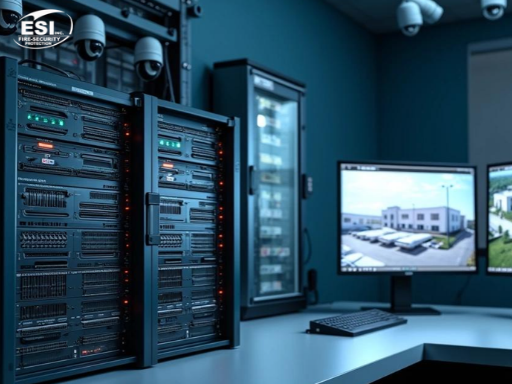
An on-premise video surveillance system stores and manages recorded footage using equipment located at your facility.
This typically involves a Network Video Recorder (NVR), recording server, or local Video Management System (VMS).
Cameras transmit video across the property’s network to local recording equipment, where footage is stored according to the system’s configuration and available storage capacity.
On-premise systems are common in warehouses, manufacturing facilities, industrial properties, distribution centers, and larger commercial buildings.
One reason is simple: these properties may have dozens or hundreds of cameras generating substantial amounts of video.
Keeping that video on-site can reduce the amount of internet bandwidth required for continuous recording.
An on-premise system can also continue recording locally during an internet outage, provided the cameras, network, recording equipment, and necessary power remain operational.
However, local systems still require maintenance.
Storage drives fail. Servers age. Software needs updates. Recording capacity must be managed. And someone needs to make sure the system is functioning as intended.
Owning the equipment gives you more direct control, but it also means taking responsibility for maintaining it.
Cloud vs. On-Premise Video Surveillance: 7 Key Differences
Both approaches can provide excellent commercial security when they’re properly designed.
The differences become more important when you look beyond the cameras themselves.
1. Upfront Equipment Costs
Cloud surveillance systems may reduce the need for certain on-site recording equipment.
That can lower upfront infrastructure costs, particularly for smaller facilities or businesses that want centralized management without maintaining dedicated recording servers at every location.
But cloud systems aren’t automatically cheaper to install.
You still need cameras, network equipment, cabling, mounting hardware, labor, and possibly gateways or other compatible devices.
Some cloud platforms also require specific camera models or subscriptions.
On-premise systems generally require local recording equipment and sufficient storage capacity, which can increase initial costs.
However, those costs may be offset over time depending on licensing, maintenance, and cloud subscription requirements.
The takeaway: Compare the complete installed system, not just the price of the recorder.
2. Monthly Fees and Long-Term Cost
This is where we encourage businesses to look closely at the numbers.
Cloud video surveillance often involves recurring fees for services such as storage, software, remote management, or advanced features.
Depending on the provider, those fees may be charged per camera, per location, by storage duration, or through another subscription model.
That might be manageable for a business with eight cameras.
For a company with 150 cameras, the math can look very different.
Consider a hypothetical example.
A facility has 50 cameras, and a cloud service charges $20 per camera per month.
That’s $1,000 per month, or $12,000 annually.
Over five years, that would be $60,000 in subscription fees alone, assuming the price remains unchanged.
That doesn’t include installation, cameras, networking, or any additional charges.
An on-premise system may involve higher upfront costs but lower recurring storage fees. However, it still has costs for hardware replacement, maintenance, software support, and IT administration.
Neither approach is automatically less expensive.
The right comparison is total cost of ownership over three to five years, not simply the initial proposal.
3. Video Storage and Retention
How long does your business need to retain surveillance footage?
Seven days?
Thirty days?
Ninety days?
Longer?
The answer affects system design and cost.
Cloud systems may offer different retention plans, with longer storage periods increasing subscription costs or storage requirements.
On-premise systems require enough physical storage capacity to retain footage for the desired period.
Storage requirements depend on camera count, resolution, frame rate, compression, recording schedules, and activity levels.
A warehouse with 100 cameras recording continuously will have very different storage requirements from an office building with 12 cameras recording on motion.
Businesses should also consider whether they need to preserve certain incidents beyond the normal retention period.
If footage is needed for an investigation or legal matter, the system should provide a practical way to export and securely preserve it.
Don’t choose a retention period simply because it’s the default setting. Choose it based on your operational, contractual, insurance, and applicable legal requirements.
4. Internet Connectivity and Reliability
One of the most important questions to ask about any surveillance system is:
What happens if the internet goes down?
With a fully cloud-dependent recording architecture, an internet outage can interrupt the transfer of video to cloud storage.
Some cloud cameras or gateways support local buffering or recording during outages, allowing video to be uploaded later. Others may not.
You need to know which design you’re buying.
On-premise systems can typically continue recording to local storage without an external internet connection, as long as the local network, cameras, recorders, and power remain available.
Remote viewing, however, may be interrupted until internet connectivity is restored.
For businesses in areas with unreliable internet, remote locations, or facilities where continuous recording is critical, this can be a major consideration.
We also recommend evaluating backup power, network redundancy, and system health monitoring.
An expensive surveillance system doesn’t do much good if a routine power or network failure takes it offline without anyone noticing.
5. Cybersecurity and Data Control
Cloud systems aren’t automatically more secure than on-premise systems.
And on-premise systems aren’t automatically safer simply because the video is stored inside your building.
Both require proper cybersecurity practices.
Cloud platforms may provide centrally managed updates, encryption, access controls, audit logs, and other security features. The specific protections vary by provider.
On-premise systems give organizations greater direct control over certain infrastructure and storage decisions, but that control comes with responsibility.
Someone needs to manage firmware updates, user permissions, network segmentation, remote access, backups, and equipment security.
For either approach, businesses should ask:
Who can access the footage?
Is multifactor authentication available?
How is video encrypted?
How are software updates handled?
Can user activity be audited?
What happens if the vendor experiences an outage?
Can footage be exported if the business changes providers?
A well-secured surveillance system requires more than a strong password.
It requires proper configuration and ongoing management.
6. Remote Access and Multi-Site Management
This is an area where cloud-based platforms can offer a significant operational advantage.
Imagine managing 12 commercial properties across Texas.
Each location has cameras, recording equipment, and local staff.
With separate standalone systems, management may need to access each location individually.
A centralized cloud-managed platform can simplify that process by allowing authorized users to access multiple locations through a common interface.
That can make it easier to review incidents, manage users, monitor system health, and maintain consistent security procedures.
But cloud isn’t the only way to accomplish centralized management.
Enterprise on-premise VMS platforms can also support multi-site environments, depending on the architecture and network design.
The real question is whether the platform provides the management capabilities your organization needs without creating unnecessary complexity.
7. Scalability and Future Upgrades
Businesses change.
You add a warehouse.
Open another office.
Expand a manufacturing plant.
Acquire a new location.
Or simply need more cameras.
Cloud-managed systems can make expansion easier by reducing the need to deploy and maintain separate management infrastructure at every site.
However, expansion may also increase recurring subscription costs.
On-premise systems can scale as well, but additional cameras may require more storage, network capacity, server resources, or software licenses.
Compatibility is another consideration.
Some platforms support a wide range of third-party cameras. Others operate within more restricted ecosystems.
Before investing in a new system, ask whether you’ll be able to add equipment from different manufacturers, integrate access control, or incorporate video analytics in the future.
A system that works perfectly for your current building but becomes difficult to expand next year may not be the best long-term investment.
Cloud vs. On-Premise Video Surveillance Comparison
| Feature | Cloud-based | On-premise |
|---|---|---|
| Upfront cost | May be lower | Often higher |
| Recurring fees | Common | Varies |
| Video storage | Cloud, local, or hybrid depending on platform | Primarily local |
| Internet dependency | Depends on recording architecture | Local recording generally works without internet |
| Remote access | Often straightforward | Available with appropriate configuration |
| Multi-site management | Often convenient | Available through enterprise VMS platforms |
| Cybersecurity | Provider and customer responsibilities | Greater direct infrastructure responsibility |
| Maintenance | Some software infrastructure managed by provider | Local hardware and software maintenance |
| Scalability | Often straightforward, with subscription implications | May require additional infrastructure |
| Best fit | Remote management, distributed locations, cloud-oriented operations | High camera counts, local recording needs, greater infrastructure control |
This table is a general comparison. Actual capabilities depend on the manufacturer, licensing, configuration, and system architecture.
What Is Hybrid Video Surveillance?
Hybrid video surveillance combines local recording or processing with cloud-based capabilities.
For many commercial customers, this deserves serious consideration.
A hybrid system might record video locally while using cloud services for remote management, centralized administration, health monitoring, or selected video access.
Other designs may use local recording as a backup to cloud storage.
The exact capabilities vary by platform.
The advantage is flexibility.
You may be able to retain the reliability and bandwidth benefits of local recording while gaining some of the management features associated with cloud-based systems.
For example, a distribution company with several facilities might keep high-volume video recording at each location while giving corporate security personnel centralized access to cameras and selected footage.
That can provide a practical balance between performance, management, and cost.
But hybrid isn’t automatically the best choice either.
It introduces its own architecture, licensing, and maintenance considerations.
The system still needs to be designed around the business.
Which Video Surveillance System Is Better for a Warehouse?
Warehouses often have large camera counts, substantial storage needs, and multiple operational areas to monitor.
They may need coverage of loading docks, inventory areas, employee entrances, parking lots, and exterior perimeters.
For facilities recording large volumes of video continuously, on-premise or hybrid architectures may offer practical advantages.
Local recording can reduce dependence on internet bandwidth for continuous video storage.
However, a warehouse operator with multiple facilities may also benefit from cloud-based management or centralized access.
The decision should consider camera count, retention requirements, available bandwidth, existing infrastructure, and whether corporate personnel need access across multiple locations.
Which Is Better for Manufacturing Facilities?
Manufacturing facilities can have security requirements that go beyond traditional property protection.
They may need video surveillance for restricted areas, production entrances, shipping and receiving, outdoor equipment, and incident investigations.
Some facilities also have strict network policies or limited connectivity between operational technology and corporate networks.
In those environments, an on-premise or carefully designed hybrid solution may be appropriate.
But the decision should involve both the security team and IT personnel.
A surveillance system shouldn’t create unnecessary network risks or interfere with production operations.
Which Is Better for Multi-Location Businesses?
Cloud-managed surveillance can be particularly attractive for organizations operating multiple offices, retail properties, commercial buildings, or other distributed facilities.
Centralized access and management can simplify day-to-day operations.
But a large enterprise with substantial existing infrastructure may already have an on-premise VMS capable of managing multiple locations.
Before replacing it, the organization should determine whether its current platform can be upgraded, expanded, or integrated with cloud-based services.
That’s where an experienced commercial security integrator can provide value.
The right solution may involve modernizing the existing system rather than replacing it.
Can You Move Existing Security Cameras to the Cloud?
Possibly.
This is one of the most common questions businesses ask when considering a surveillance upgrade.
Some cloud or hybrid platforms can support existing IP cameras through compatible gateways, video management software, or other integration methods.
However, compatibility depends on the camera manufacturer, model, firmware, supported protocols, licensing, and required features.
Not every camera will support every cloud platform.
And compatibility doesn’t always mean that all advanced features will work.
Before recommending a complete camera replacement, ESI can evaluate existing equipment to determine whether it can be incorporated into an updated surveillance architecture.
If your current cameras still provide good image quality and meet your security needs, there may be opportunities to preserve that investment.
How Much Does Commercial Video Surveillance Really Cost Over Five Years?
When comparing proposals, we recommend looking beyond the equipment line items.
A five-year cost evaluation should account for:
-
Cameras and mounting hardware
-
Installation labor
-
Cabling and networking
-
Recording servers or NVRs
-
Storage drives and replacements
-
Cloud subscriptions
-
Software licenses
-
Maintenance and technical support
-
Internet bandwidth upgrades
-
Backup power
-
Cybersecurity administration
-
Future expansion
Here’s a simplified example to illustrate why the lowest initial price isn’t always the lowest long-term cost.
Cloud vs. On-Premise Surveillance: A Five-Year Cost Comparison
Here’s a simplified example of how costs might compare for a business operating 50 security cameras over five years.
| Cost Factor | Cloud-Based | On-Premise |
|---|---|---|
| Initial investment | $12,000 | $30,000 |
| Monthly subscription | $1,000 | $0 |
| Annual maintenance | Not included | $1,500 |
| Total cost over 5 years | $72,000 | $37,500 |
These figures are hypothetical and are intended for illustration only. They do not represent ESI pricing or actual vendor quotes. Additional costs and differences in system features are not included.
A lower initial cloud quote can become more expensive over time if recurring subscriptions are substantial.
Likewise, an on-premise system can become costly if the recording equipment requires frequent repairs, software upgrades, or dedicated IT resources.
The best value is the system that meets your requirements at a sustainable long-term cost.
What About AI Video Analytics and Proactive Video Monitoring?
Cloud and on-premise surveillance systems can both support advanced analytics, depending on the platform.
Some systems process analytics at the camera or locally on dedicated equipment. Others use cloud-based processing or a combination of technologies.
The architecture matters, but the business objective matters more.
For example, a property owner may want cameras that can help identify people entering a restricted area after hours.
A warehouse may need analytics to detect defined activity around loading docks or exterior storage.
A construction site may benefit from Proactive Video Monitoring, where trained personnel evaluate relevant video events and can respond according to established protocols.
Those requirements should influence which surveillance platform you choose.
You shouldn’t select a cloud or on-premise system first and only afterward discover that it can’t support the analytics or monitoring capabilities your business needs.
Questions to Ask Before Choosing a Commercial Surveillance System
Before signing a proposal, make sure you understand the answers to these questions.
Where will my video actually be stored? Cloud, local, or both?
What happens during an internet outage? Does recording continue?
How long will footage be retained? And what does additional retention cost?
Who owns the recorded footage? Can it be exported in a usable format?
What are the recurring fees? Are they per camera, per site, or based on storage?
Can my existing cameras be reused?
Can the system integrate with access control, intrusion detection, and analytics?
What happens if I change security providers?
Who is responsible for software updates, cybersecurity, and maintenance?
What will the system cost over five years?
A good integrator should be able to explain these answers without hiding behind technical terminology.
Choosing the Right Video Surveillance System for Your Business
Cloud-based video surveillance isn’t the future for every business.
Neither is keeping everything on-premise.
Both can be excellent solutions when properly designed.
For some companies, the convenience of cloud-based management justifies the ongoing expense.
For others, local recording provides the performance, control, and long-term cost structure they need.
And for many commercial facilities, a hybrid approach offers a practical middle ground.
At ESI Fire & Security, we evaluate the entire security environment before recommending a solution.
That includes your existing cameras, recording equipment, network infrastructure, storage requirements, access control, monitoring needs, and plans for future expansion.
We also understand that businesses don’t always need to start over. If your existing equipment can be incorporated into a better system, that should be part of the conversation.
Considering a new video surveillance system or upgrading an existing one? Contact ESI Fire & Security to discuss your property, compare your options, and determine which surveillance architecture makes the most sense for your business.
ESI Fire & Security Protection is one of three Honeywell Platinum dealers in Texas and is backed by over 25 years of industry experience. As leaders in the industry, we provide cutting-edge commercial security solutions, including Mobile Security Trailers, Proactive Video Monitoring, Video Surveillance, Access Control, and Intrusion Detection. Our team is dedicated to delivering top-tier solutions tailored to meet your needs, ensuring peace of mind for businesses across Texas and nation wide. Contact ESI Fire & Security today to learn how our Mobile Security Trailers and Proactive Video Monitoring solutions can help improve jobsite security and prevent costly theft and vandalism.
Frequently Asked Questions
Neither is universally better. Cloud surveillance can simplify remote access and multi-site management, while on-premise systems can provide local recording and greater control over infrastructure. The best option depends on camera count, internet reliability, retention needs, cybersecurity, and total cost.
It depends on the system. Some cloud cameras and gateways support local recording or buffering during an internet outage, while fully cloud-dependent systems may lose recording functionality until connectivity returns. Always confirm the platform’s outage behavior.
Cloud systems may have lower upfront infrastructure costs but often involve recurring subscription fees. On-premise systems may require more initial equipment and ongoing maintenance. Comparing total ownership costs over three to five years provides a more useful answer.
Sometimes. Certain cloud and hybrid video management platforms support compatible existing IP cameras. Compatibility depends on the camera models, supported protocols, firmware, licensing, and required features.
Hybrid video surveillance combines local recording or processing with cloud-based capabilities such as remote access, centralized management, or selected cloud storage. It can provide a balance between local reliability and cloud functionality.
Cloud-managed platforms can make centralized access and administration easier for multi-location businesses. Enterprise on-premise and hybrid platforms can also support multiple facilities. The best choice depends on the number of locations, infrastructure, and management requirements.
Not necessarily. Both architectures can be secure when properly configured and maintained. Security depends on encryption, access controls, software updates, network design, vendor practices, and ongoing administration.
ESI Fire & Security can evaluate existing commercial video surveillance infrastructure and recommend appropriate upgrades. Depending on equipment compatibility and business requirements, this may involve retaining existing cameras, replacing recording equipment, integrating cloud management, or moving toward a hybrid system.