

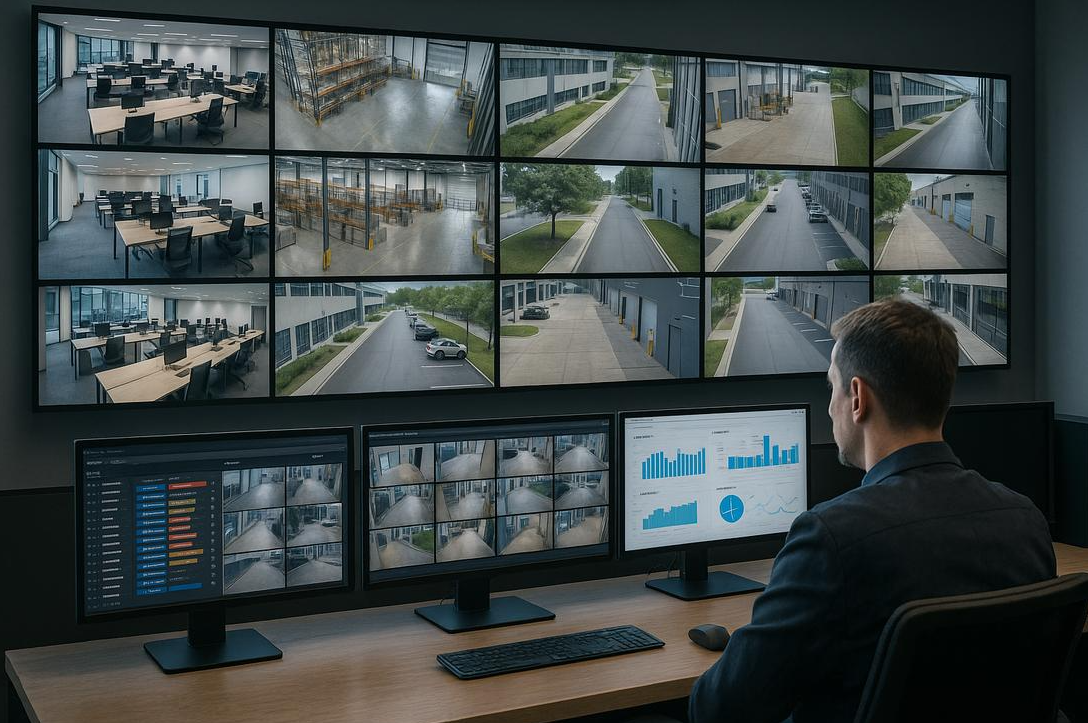
Multi-Site Security Systems: 7 Benefits for Businesses
Multi-Site Security Systems: How to Protect Multiple Business Locations From One Platform
Managing security at one commercial property can be challenging. Managing five, ten, or twenty locations is a completely different responsibility.
One warehouse has an older camera system. Another uses a different access control platform. Your newest facility has updated equipment, but the regional manager still needs a separate login to view cameras. When an incident occurs, someone has to figure out which system to access, who has permission, and whether the footage is even available.
For companies with multiple facilities, these small complications can become significant operational problems.
That’s where multi-site security systems make a difference.
Instead of managing every property independently, businesses can bring video surveillance, access control, alarms, and other security functions into a more coordinated environment.
The objective isn’t necessarily to replace every camera or install identical equipment at every building. It’s to create a security strategy that gives authorized personnel the visibility, control, and information they need across their locations.
At ESI Fire & Security, we work with commercial and industrial customers who need security solutions that make sense for their operations, whether they’re protecting one facility in Texas or managing properties nationwide.
Here’s what businesses should consider when evaluating security across multiple locations.
What Is a Multi-Site Security System?
A multi-site security system allows a business to manage security functions across multiple physical locations through a centralized or coordinated platform.
Depending on the technology and system design, that may include:
-
Video surveillance and recorded footage
-
Access control and employee credentials
-
Intrusion alarms
-
Video analytics
-
Security alerts and event notifications
-
Remote system administration
-
Proactive Video Monitoring
-
System health and equipment status
For example, a company operating warehouses in Houston, Dallas, and San Antonio may want its corporate security team to view cameras, review incidents, and manage access permissions without physically visiting each facility.
A centralized security platform can help make that possible.
However, centralization doesn’t always mean every system must operate through the cloud.
Some businesses use enterprise on-premise video management platforms. Others use cloud-managed systems or hybrid architectures that combine local recording with centralized access.
The right design depends on the organization’s existing infrastructure, security requirements, network connectivity, and long-term goals.
Why Managing Separate Security Systems Becomes a Problem
When businesses open additional locations, security equipment is often installed as needed.
The first building gets one camera system.
The second uses a different manufacturer.
A third property comes with security equipment already installed by the previous owner.
Over time, the company may end up with several systems that don’t communicate with each other.
That can create problems that aren’t immediately obvious.
A corporate manager may have to maintain separate usernames and passwords for each facility. Access permissions may be handled differently at every location. Security footage may be difficult to retrieve, and employees may not know who is responsible for responding to certain alerts.
The issue becomes more serious when a company needs to investigate an incident or coordinate security across several facilities.
A multi-site security strategy helps address these challenges by establishing a more consistent approach to security management.
1. View Multiple Business Locations From One Platform
One of the biggest advantages of centralized video surveillance is the ability to access multiple properties through a common interface.
Imagine a regional operations manager responsible for eight distribution centers.
Instead of opening eight different applications, the manager may be able to select a facility and review authorized camera feeds from one video management platform.
This can make it easier to investigate incidents, check activity at loading docks, review after-hours events, and coordinate with local management.
It can also reduce the time spent switching between systems.
For organizations with large numbers of cameras, centralized access should be designed carefully. Network bandwidth, user permissions, recording architecture, and video quality all affect performance.
The goal isn’t to stream every camera from every facility continuously.
It’s to make relevant video accessible when authorized personnel need it.
2. Manage Employee Access Across Multiple Facilities
Access control becomes increasingly complicated as businesses expand.
An employee may work at one location but occasionally need access to another.
A regional manager may need entry to several buildings.
A contractor may require temporary access to a specific site.
When each facility uses a separate access control system, managing those permissions can become time-consuming.
A centralized access control platform can allow authorized administrators to manage credentials and permissions across supported locations.
For example, when an employee leaves the company, administrators may be able to revoke that person’s access across multiple facilities without contacting each location individually.
Businesses can also establish more consistent access policies.
That might include restricting entry to certain areas, assigning access schedules, or maintaining records of credential activity.
Enterprise platforms such as Honeywell Pro-Watch can support integrated access control and security management in appropriately designed environments.
However, not every existing access control system is compatible with every enterprise platform.
Before recommending a centralized solution, ESI evaluates the equipment already installed and determines what can realistically be integrated.
3. Improve Visibility Into Security Incidents
A security incident at one location shouldn’t become difficult to manage simply because the corporate office is in another city.
Consider a distribution company with facilities across Texas.
A gate alarm activates at a warehouse after hours.
With separate systems, management may need to contact the local facility, locate someone with camera access, and determine whether the event requires attention.
With an integrated security system, an authorized user may be able to review associated video and access control information through a coordinated interface.
That can provide more context.
Was someone attempting to enter the property?
Was the gate left unsecured?
Was the activity associated with an authorized employee or delivery?
Did another camera capture the approach?
The ability to connect related information can make investigations more efficient.
It’s also useful when businesses need to document incidents, review operational problems, or coordinate responses across multiple locations.
4. Establish Consistent Security Standards Across Properties
One of the most overlooked benefits of multi-site security management is consistency.
A company may have excellent surveillance coverage at its headquarters but significant blind spots at a smaller facility.
One location may retain video for 30 days, while another retains only a week.
Access permissions may be reviewed regularly at one property but rarely updated at another.
These inconsistencies can create unnecessary risk.
A centralized security strategy allows businesses to establish common standards while accounting for the needs of individual facilities.
For example, a company might develop standards for:
-
Camera coverage at entrances and exits
-
Video retention requirements
-
Access control permissions
-
Employee credential management
-
Alarm response procedures
-
Equipment maintenance
-
Cybersecurity practices
-
Security incident reporting
That doesn’t mean every property needs the same number of cameras or identical equipment.
A manufacturing plant has different security requirements from a corporate office.
The objective is to create a consistent process for evaluating and managing security while allowing each location to address its specific risks.
5. Reduce the Complexity of Security System Maintenance
When a company operates several different security platforms, maintenance can become difficult to coordinate.
Different manufacturers may require different software updates, licenses, technical support arrangements, and replacement parts.
Some locations may have aging equipment that no longer receives appropriate support.
Others may have recording problems that go unnoticed until someone needs the footage.
A coordinated security management approach can make it easier to establish maintenance schedules, track equipment, and identify system issues.
Depending on the platform, administrators may be able to monitor certain device health indicators, storage status, or connectivity problems remotely.
This is especially important for businesses with facilities that don’t have dedicated IT or security personnel on-site.
A camera that stops recording on Friday shouldn’t remain unnoticed until someone needs the footage the following week.
Centralized system health monitoring can help businesses identify problems sooner, provided the equipment and platform support those capabilities.
6. Support Proactive Video Monitoring Across Multiple Locations
Many commercial properties are most vulnerable when employees leave for the day.
A warehouse may have valuable inventory and equipment stored overnight.
A construction site may have tools, machinery, and materials exposed.
A retail center may have large parking areas with limited after-hours activity.
Installing security cameras at each property provides visibility, but it doesn’t necessarily mean someone is watching for suspicious activity.
That’s where Proactive Video Monitoring can provide another layer of protection.
With appropriately configured cameras, analytics, and monitoring services, selected security events can be reviewed by trained monitoring personnel.
Depending on the situation and equipment, operators may issue live audio warnings or escalate events according to established procedures.
For companies managing several facilities, proactive monitoring can help establish a more coordinated approach to after-hours security.
However, not every camera or property needs the same monitoring configuration.
A high-risk equipment yard may require different monitoring rules from an office building or occupied warehouse.
The system should be designed around the security needs of each location.
Looking for a more consistent way to protect multiple properties after hours? ESI can evaluate existing surveillance infrastructure and determine where Proactive Video Monitoring may add value.
7. Make Expansion and New Facility Acquisitions Easier
Business growth often happens faster than security planning.
A company acquires another warehouse.
Opens a new distribution center.
Adds a manufacturing facility.
Expands into another state.
Suddenly, the security team is responsible for a property with unfamiliar equipment and different operating procedures.
A scalable multi-site security strategy can make these transitions easier.
Rather than treating every new facility as a completely separate project, businesses can evaluate how the property fits into their existing security environment.
That may involve integrating compatible cameras, updating access control equipment, replacing outdated recording systems, or establishing centralized management.
Planning for expansion can also help businesses avoid becoming dependent on a platform that limits future equipment choices.
At ESI, we believe flexibility matters.
Security systems should be designed with future growth in mind, including the ability to evaluate compatible third-party equipment and integration options where appropriate.
Centralized vs. Separate Security Systems: What’s the Difference?
Here’s a simple comparison for businesses managing multiple facilities.
| Security Function | Separate Systems | Centralized Multi-Site System |
|---|---|---|
| Camera access | Often requires separate logins | May provide one management interface |
| Access control | Managed independently | Can support centralized administration |
| Incident investigation | Information gathered from multiple systems | Related information may be easier to access |
| User permissions | Vary by location | Can support consistent policies |
| Equipment monitoring | Often handled locally | May support centralized health monitoring |
| Expansion | Each site managed separately | New sites can be incorporated into the broader strategy |
| Maintenance | Multiple platforms and procedures | Potentially more coordinated |
| Upfront investment | May avoid immediate integration costs | May require integration or infrastructure upgrades |
Centralized management can improve efficiency, but it also introduces considerations such as network design, platform licensing, cybersecurity, and reliance on shared infrastructure.
The best solution balances operational benefits with cost and reliability.
Does Multi-Site Security Require Cloud-Based Surveillance?
No.
This is a common misconception.
Cloud-managed security platforms can make centralized access and administration convenient, particularly for businesses with distributed locations.
But enterprise on-premise and hybrid systems can also provide centralized management.
For example, a business may retain video recordings locally at each warehouse while allowing authorized corporate personnel to access cameras and events through a centralized video management platform.
Another organization may use cloud-based services for administration and remote access.
The decision should account for internet reliability, camera count, storage requirements, cybersecurity, and the total cost of ownership.
For a more detailed comparison, see our guide to Cloud vs. On-Premise Video Surveillance: Which Is Better for Your Business?
Can Existing Security Cameras Be Integrated Into a Multi-Site System?
In some cases, yes.
This is an important consideration for businesses that have invested heavily in surveillance equipment over the years.
A company with several warehouses may have hundreds of functioning IP cameras.
Replacing all of them simply to establish centralized management could be an unnecessary expense if compatible integration options are available.
Some enterprise video management systems support cameras from multiple manufacturers through compatible protocols or integrations.
However, compatibility must be evaluated.
Camera models, firmware, recording equipment, licensing, network architecture, and required features all affect what can be reused.
A camera may provide basic video streaming through a new platform without supporting every advanced feature.
That’s why an assessment should happen before a company commits to a major system replacement.
ESI can evaluate existing security infrastructure and identify opportunities to retain compatible equipment while improving overall system management.
What About Security at Facilities Without Reliable Power or Internet?
Not every business location is a traditional commercial building.
Construction projects, remote equipment yards, utility sites, and temporary industrial facilities may lack the infrastructure needed for permanent surveillance systems.
These properties may require a different approach.
ESI’s Mobile Security Trailers can provide flexible surveillance coverage using solar power, battery backup, elevated cameras, and remote connectivity.
Depending on the configuration and site conditions, they can also support video analytics and Proactive Video Monitoring.
For companies operating both permanent facilities and temporary sites, mobile surveillance can help address locations that aren’t practical for a conventional camera installation.
A mobile trailer doesn’t automatically integrate into every existing enterprise security platform, but compatible connectivity and video management options can be evaluated as part of the broader security design.
Cybersecurity Matters More When Systems Are Connected
Centralized security management can provide significant operational benefits, but it also requires careful cybersecurity planning.
Connecting multiple locations introduces considerations around network access, user credentials, remote connectivity, software updates, and system permissions.
A poorly secured management account could create risks across more than one property.
Businesses should establish appropriate controls, including multifactor authentication where supported, role-based permissions, secure remote access, software updates, and network segmentation where appropriate.
It’s also important to define who is responsible for maintaining the system.
That may involve coordination between corporate IT, local facility personnel, the security integrator, and technology vendors.
Centralized security shouldn’t mean giving every employee access to every camera or door.
It should mean giving the right people access to the right information.
How Much Do Multi-Site Security Systems Cost?
There isn’t a single price that applies to every multi-site security project.
A business connecting three small offices has very different requirements from a company managing 20 warehouses with hundreds of cameras and controlled doors.
Several factors influence cost:
-
Number of locations
-
Existing cameras and recording equipment
-
Number of controlled doors
-
Software and licensing requirements
-
Network infrastructure
-
Cloud, on-premise, or hybrid architecture
-
Video storage and retention
-
Integration requirements
-
Installation labor
-
Monitoring services
-
Ongoing maintenance and support
The most useful approach is to evaluate both the initial investment and the long-term operating costs.
For some businesses, a phased upgrade may make sense.
A company might begin by standardizing video management across its largest facilities, then incorporate additional properties over time.
Another business may prioritize access control integration first because managing employee credentials across locations has become an operational problem.
The right sequence depends on the organization’s priorities.
A good integrator should help identify those priorities rather than automatically recommending a complete replacement at every location.
Which Industries Benefit Most From Multi-Site Security Systems?
Warehousing and Distribution
Companies with multiple warehouses often need consistent surveillance around loading docks, inventory areas, gates, employee entrances, and parking lots.
Centralized management can help corporate security teams maintain visibility across facilities.
Manufacturing and Industrial Operations
Manufacturing companies may need to manage restricted areas, production entrances, outdoor equipment, and security events across multiple plants.
These environments may also require coordination with IT and operational technology teams.
Retail and Commercial Property Management
Retail operators and property management companies may oversee numerous buildings, shopping centers, or parking facilities.
Centralized surveillance and access management can help simplify administration and incident review.
Construction Companies
Construction companies often manage several active projects at once.
Each site may have different security requirements, changing layouts, and temporary infrastructure.
Mobile surveillance and proactive monitoring can provide flexible protection across projects.
Utilities and Energy
Utility and energy organizations may operate geographically dispersed facilities, including remote sites with limited staffing.
Security planning may require a combination of permanent surveillance, access control, remote connectivity, and monitoring.
When Should Your Business Consider Centralizing Security?
If you’re responsible for multiple commercial properties, ask yourself a few questions.
Can you access cameras at every location without tracking down different passwords?
Can you quickly revoke an employee’s access across all relevant facilities?
Do you know whether every property’s cameras are recording properly?
Are security procedures consistent across your locations?
Can your team review an incident remotely without waiting for someone on-site?
Are you confident your existing systems can support future expansion?
If the answer to several of these questions is no, it may be time to evaluate your current security infrastructure.
You may not need an entirely new system.
You may need a better way to connect and manage what you already have.
Why Choose ESI Fire & Security for Multi-Site Security Integration?
Managing security across multiple facilities requires more than selecting cameras from a catalog.
It requires understanding how the business operates, what equipment is already installed, and how the different locations need to work together.
At ESI Fire & Security, we take a practical approach.
We evaluate existing surveillance systems, access control platforms, network infrastructure, monitoring requirements, and the needs of each property.
Then we work to develop a solution that supports the business without introducing unnecessary complexity.
Our commercial security solutions include:
-
Video surveillance and video management systems
-
Access control and enterprise security integration
-
AI video analytics
-
Security system upgrades and takeovers
Headquartered in Texas and serving customers nationwide, ESI helps businesses protect commercial and industrial properties with security solutions designed around their operations.
Whether you’re managing several warehouses across Texas or expanding into additional states, your security systems should support your growth rather than make it harder.
Bring Your Business Locations Under One Security Strategy
When every location uses a different security system, managing cameras, access permissions, alarms, and incidents can become more complicated than it needs to be.
Multi-site security systems can help businesses improve visibility, establish consistent procedures, and manage security more efficiently across their facilities.
That doesn’t mean every location needs identical equipment or that everything must move to the cloud.
It means building a coordinated security environment that supports your people, properties, and operations.
Managing multiple commercial or industrial locations?
ESI Fire & Security can evaluate your existing security systems, identify integration opportunities, and help develop a centralized security strategy that makes sense for your business.
Contact ESI Fire & Security to discuss your multi-location security needs.
Frequently Asked Questions
A multi-site security system allows businesses to manage security functions across multiple physical locations through a centralized or coordinated platform. Depending on the system, this may include video surveillance, access control, intrusion alarms, and remote administration.
Yes. Compatible enterprise video management and cloud-managed platforms can provide centralized access to cameras across multiple facilities. Available features depend on the platform, network connectivity, and user permissions.
No. Multi-site security systems can sometimes incorporate cameras from different manufacturers. Compatibility depends on the equipment, supported protocols, licensing, and platform requirements.
Yes. Enterprise access control systems can support centralized credential administration and permissions across multiple locations, provided the sites use compatible equipment and are properly connected.
Not necessarily. Multi-site security can use cloud, on-premise, or hybrid architectures. The best approach depends on infrastructure, internet reliability, cybersecurity requirements, and operational needs.
In many cases, existing equipment can be evaluated for integration into a centralized platform. Some components may be reusable, while others may require upgrades or replacement.
Costs depend on the number of locations, cameras, controlled doors, existing infrastructure, integration requirements, software licensing, and monitoring needs. A professional assessment can help determine an appropriate solution and budget.
ESI Fire & Security is headquartered in Texas and serves commercial and industrial customers nationwide. ESI can help evaluate multi-location security requirements and develop appropriate video surveillance, access control, and integrated security solutions.