
Security Camera Blind Spots: 12 Areas Businesses Forget to Monitor
A business can have 30 security cameras and still miss the one area where an incident occurs.
We see it more often than you might expect.
The cameras are working. Video is recording. The system looks impressive on a monitor. Then something happens and management discovers there was no usable view of the area.
That’s the problem with security camera blind spots.
A good commercial surveillance system isn’t measured by how many cameras are installed. It’s measured by whether those cameras provide the coverage and image detail you need when something actually happens.
And blind spots aren’t always obvious.
Buildings change. Inventory gets moved. Trailers get parked in different places. Trees grow. New fencing is installed. Lighting changes. A camera that provided excellent coverage three years ago may not provide the same coverage today.
Here are 12 areas we recommend businesses pay particular attention to when evaluating an existing video surveillance system.
What Is a Security Camera Blind Spot?
A security camera blind spot is an area that isn’t adequately visible to the surveillance system.
Sometimes there is no camera covering the area at all.
Other times, a camera technically sees the area, but the view isn’t useful.
That distinction matters.
A person appearing as a tiny figure 300 feet away might technically be “on camera,” but that doesn’t mean the footage provides enough detail to help determine what happened.
The same applies to a doorway partially blocked by shelving, a parking area hidden behind trailers or a gate that’s visible only when vehicles aren’t parked nearby.
When ESI evaluates camera coverage, the question isn’t simply:
Can the camera see it?
The better question is:
Can the camera provide the information you would need if something happened there?
1. Building Corners
Building corners are one of the easiest places to create surveillance blind spots.
A camera mounted along one exterior wall may provide excellent coverage in one direction while leaving the area immediately around the corner completely unseen.
That can create a problem along the sides and rear of commercial buildings where there is often less employee traffic.
Depending on the property, the solution might involve overlapping fixed-camera coverage, repositioning existing cameras or using a different camera type.
The important word is overlapping.
Ideally, critical exterior areas shouldn’t depend on a single camera view.
2. Loading Docks
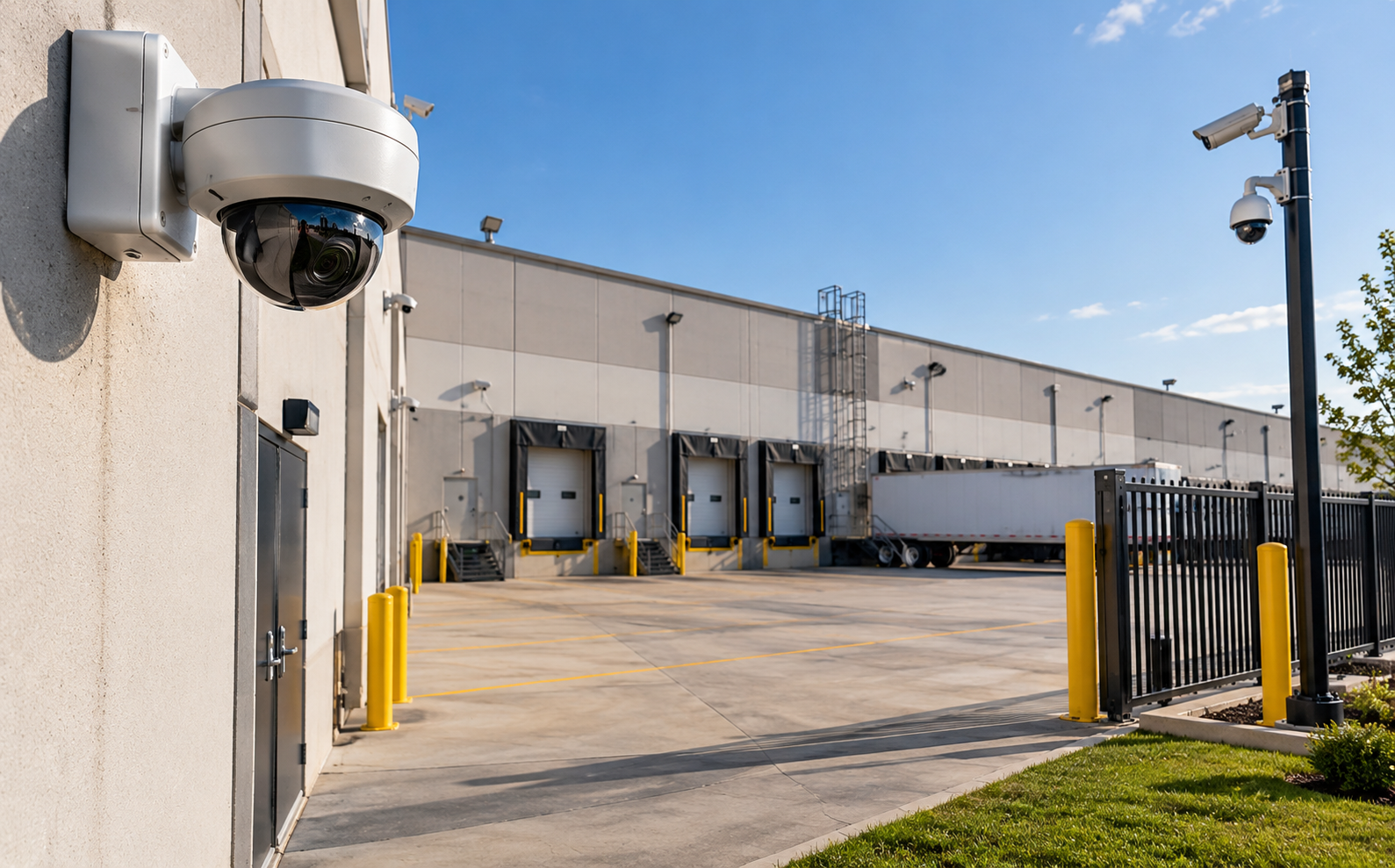
Loading docks deserve much more attention than simply pointing a camera toward the dock doors.
Think about everything that happens there.
Trucks arrive and leave. Trailers are staged. Employees move products. Vendors and drivers enter the property. Doors may remain open while loading takes place.
A camera mounted too high or too far away may provide a nice overview without capturing the detail you actually need.
We look at coverage of the dock itself, approaches to the dock, pedestrian movement, doors and the areas where trailers or inventory are staged.
And remember: a parked 53-foot trailer can create a very large blind spot.
Camera placement should account for how the loading dock actually operates, not how it looked when the system was installed.
3. Employee Entrances and Side Doors
The front entrance usually gets plenty of attention.
The employee door around the side of the building?
Sometimes not.
Side entrances, employee entrances and service doors can be important areas for both access control and video surveillance.
If a controlled door uses employee credentials, having appropriate camera coverage can also make the access control information more useful.
An access report might tell you that a credential opened a door at 10:42 p.m.
Video can help you determine who actually entered and what happened around that event.
This is one reason we like integrating video surveillance and access control where it makes sense.
4. Fence Lines
Installing a camera at the gate doesn’t mean you’ve secured the perimeter.
Large commercial and industrial properties may have hundreds or thousands of feet of fencing.
Areas along the fence can become difficult to monitor because of:
- Vegetation
- Buildings
- Storage containers
- Equipment
- Elevation changes
- Poor lighting
- Camera distance
- Other physical obstructions
If the perimeter is important to your security strategy, it should be evaluated as a perimeter—not just at the entrance.
For some properties, this is also where video analytics and Proactive Video Monitoring can become valuable.
5. Gates and Vehicle Entrances
Gates often have cameras.
But are they the right cameras, in the right position, capturing the information you need?
There is a big difference between:
“A white pickup entered the property.”
and
“We can clearly see the vehicle and capture the information needed to investigate the event.”
Vehicle entrances may require different camera views depending on the objective.
One camera may provide an overview of the gate. Another may need to capture vehicles more directly. Some businesses may also benefit from license plate recognition technology.
Trying to make one wide-angle camera accomplish every objective can leave you with footage that shows everything but identifies very little.
6. Parking Lot Edges and Transition Areas
Parking-lot security usually focuses on the center of the lot.
But incidents don’t always happen there.
Pay attention to transition areas:
Where does the parking lot meet the building?
Where does it meet a wooded area?
Where do employees walk between vehicles and entrances?
Where are the dumpsters?
Where do delivery drivers enter?
Where does the property connect with neighboring businesses?
Those transitions can create natural coverage gaps.
They may also be where people enter or leave the property without using the primary vehicle entrance.
7. Dumpsters and Service Areas
Nobody gets excited about installing a camera near a dumpster.
Until something happens there.
Dumpster areas and service alleys are often located behind buildings, away from normal employee traffic and outside the primary camera coverage.
Depending on the business, these areas can become locations for unauthorized dumping, trespassing, property damage or other unwanted activity.
They’re also frequently near rear service doors.
If the area is physically isolated from the rest of the property, it’s worth asking whether anyone would know what was happening there after hours.
8. Equipment and Outdoor Storage Areas
Businesses sometimes install cameras to cover the perimeter of an equipment yard but fail to adequately cover the assets inside it.
Heavy equipment, tools, materials, fuel and other valuable assets may be stored behind other equipment.
And equipment moves.
An excavator parked in one location today might be somewhere completely different next month.
The surveillance design should consider how the yard operates, including whether changing equipment locations could block critical views.
This is especially important for construction companies, industrial facilities, equipment yards and businesses with outdoor storage.
9. Areas Directly Below Cameras
This is an easy one to overlook.
A camera may have a wide field of view but still have limited visibility immediately beneath or very close to its mounting position.
Mounting a camera extremely high isn’t automatically better.
Height can improve the overall view, but it can also reduce the detail available for people, vehicles or other activity closer to the camera.
The correct mounting position depends on what you’re trying to see.
That’s why commercial security camera placement should start with the objective—not simply with the easiest mounting location.
10. Stairwells and Interior Transition Areas
Interior camera placement deserves the same planning as exterior surveillance.
Businesses often cover lobbies, main hallways and entrances but overlook transition areas such as:
- Stairwells
- Secondary hallways
- Warehouse-to-office entrances
- Production-area entrances
- Shipping and receiving transitions
- Restricted storage areas
These locations can become important during an investigation because they help establish movement through a facility.
You don’t necessarily need a camera in every hallway.
You need cameras in the locations that provide useful information based on the risks and operations of the facility.
11. Roof Access and Utility Areas
Roof access points, electrical equipment, generators, HVAC areas and utility spaces may receive little attention because employees rarely use them.
That’s exactly why they should at least be considered during a security assessment.
The level of protection needed depends heavily on the property.
A standard office building may have very different requirements than a manufacturing facility, data center, utility site or critical infrastructure location.
Again, the goal isn’t to put a camera everywhere.
It’s to determine which areas matter to the operation and make sure the security system reflects that.
12. The Area Between Two Cameras
This may be the most deceptive blind spot of all.
You look at the system and think:
Camera A covers this side. Camera B covers that side. We’re good.
Maybe.
But what happens in the middle?
Small gaps between camera fields of view can create areas that aren’t clearly visible from either camera.
This is why overlapping coverage is important in higher-risk areas.
It also explains why evaluating cameras individually isn’t enough.
You need to look at the surveillance system as a complete coverage plan.
More Cameras Don’t Always Mean Better Coverage
This is where businesses can spend a lot of money without necessarily improving security.
Adding five cameras isn’t automatically better than repositioning three cameras you already own.
The objective should never be:
How many cameras can we install?
It should be:
What are we trying to see?
A camera protecting a loading dock has a different job from one watching a lobby.
A camera monitoring a fence line has a different job from one positioned at a controlled door.
A camera used to provide an overall situational view has a different job from one intended to capture detailed vehicle information.
Good video surveillance design starts with the purpose of each camera.
Then you choose the camera, lens, mounting location, height, lighting and configuration needed to accomplish it.
A Camera Can Cover an Area and Still Be in the Wrong Place
This is an important point when evaluating security camera blind spots.
Coverage isn’t binary.
It’s not simply:
Visible = good
Not visible = bad
Suppose a camera shows your entire parking lot.
Great.
Now pause the video and look at a person standing at the far edge of the property.
Can you see enough detail to make the footage useful?
Or suppose you have a camera pointed at an entrance, but every person walking through the door is backlit by bright sunlight.
The entrance is technically covered.
The image may still be poor.
Useful camera coverage depends on factors such as:
- Distance
- Camera resolution
- Lens selection
- Field of view
- Mounting height
- Lighting
- Camera angle
- Obstructions
- Environmental conditions
- The specific purpose of the camera
This is why professional camera placement matters.
How Do You Find Blind Spots in an Existing Camera System?
One of the simplest ways is to stop looking only at the live camera grid.
Walk the property.
Physically stand in the areas you’re trying to protect.
Then look at what the cameras actually see.
We recommend asking questions such as:
- Can we see every exterior door?
- What happens when trailers are parked at the loading dock?
- Are there gaps along the fence?
- Can we see someone approaching the building, or only after they’ve reached it?
- Do cameras provide useful coverage at night?
- Have trees or landscaping grown into the camera view?
- Has new equipment been installed?
- Has inventory storage changed?
- Can we see the areas where our most valuable assets are stored?
- Would the footage give us enough information to investigate an incident?
That exercise often tells you more than looking at a camera count on a proposal.
Don’t Forget About Nighttime Coverage
A camera can look fantastic at 2:00 in the afternoon and perform very differently at 2:00 in the morning.
Businesses should evaluate surveillance under the conditions when the property is most vulnerable.
That means checking:
- Low-light image quality
- Exterior lighting
- Headlight glare
- Reflections
- Shadows
- Infrared performance
- Distance at night
- Areas that become completely dark after business hours
This is particularly important for parking lots, equipment yards, construction sites, warehouses and other properties with significant outdoor exposure.
Don’t assume daytime coverage equals nighttime coverage.
Test it.
Can AI Fix Security Camera Blind Spots?
This is where marketing gets ahead of reality sometimes.
AI video analytics can be extremely useful.
Depending on the platform and application, analytics can help identify people, vehicles, loitering, line crossing, activity in defined areas and other configured events.
But AI has a very basic limitation:
It cannot analyze what the camera cannot see.
If a trailer completely blocks the camera’s view, AI isn’t going to see through the trailer.
If a person is too far away to provide useful image detail, adding analytics doesn’t magically create pixels that weren’t captured.
If a tree blocks half the view, software doesn’t replace proper camera placement.
AI can make good video surveillance significantly more useful.
It doesn’t replace good surveillance design.
That’s something businesses should understand before spending money on analytics.
PTZ vs. Fixed Cameras for Eliminating Blind Spots
PTZ cameras—pan, tilt and zoom—can provide excellent coverage over large outdoor areas.
But there’s a common misconception that one PTZ camera can simply replace several fixed cameras.
Remember: a PTZ camera is looking somewhere at any given moment.
If it’s zoomed in on activity on the east side of the property, it isn’t simultaneously providing the same detailed view on the west side.
Fixed cameras continuously maintain their assigned view.
PTZ cameras provide flexibility and the ability to investigate or follow activity.
Depending on the property, the strongest design may use both.
The right answer depends on the area, risk and monitoring strategy.
How Proactive Video Monitoring Changes Camera Placement
Camera placement becomes even more important when video is being actively monitored.
With traditional surveillance, cameras often serve primarily as a recording tool.
Something happens, and someone searches the footage afterward.
With Proactive Video Monitoring, the objective can shift toward identifying and evaluating suspicious activity while it is occurring.
That means the cameras need to provide useful views of the areas where activity is likely to occur.
For example, monitoring a commercial property may require deliberate coverage of:
- Fence approaches
- Gates
- Building entrances
- Equipment storage
- Parking areas
- Loading docks
- Other defined high-risk areas
Good monitoring begins with good visibility.
You can’t respond effectively to an event you can’t see.
Your Property Changes. Your Camera Coverage Should Be Reviewed Too.
Security camera systems aren’t “install it and forget it” technology.
Your property changes.
Maybe you added a storage container.
Built another warehouse.
Changed the fence.
Expanded the parking lot.
Added an employee entrance.
Moved valuable equipment outside.
Started staging trailers somewhere new.
Changed landscaping.
Added brighter exterior lighting.
Any one of those changes can affect camera coverage.
That’s why businesses should periodically review their surveillance system, particularly after changes to the property or operations.
A camera that was perfectly positioned when it was installed may no longer be perfectly positioned today.
Security Camera Blind Spots at Multi-Site Businesses
Coverage becomes even harder to manage when a company has multiple facilities.
One location may have excellent surveillance.
Another may have cameras that haven’t been evaluated in years.
A third may have been acquired from another company and still be using the previous owner’s system.
If you’re responsible for security across several locations, establishing basic camera standards can help.
That doesn’t mean every property should have identical equipment.
It means having a consistent process for evaluating:
- Critical entrances
- Perimeters
- Parking
- Loading areas
- Asset storage
- Camera image quality
- Night coverage
- Recording
- Remote access
- Analytics
- System health
This makes it easier to identify which locations need attention rather than waiting until an incident exposes the problem.
When Should You Have a Professional Camera Assessment?
You don’t need to wait for something to happen.
Consider having your commercial surveillance system reviewed if:
- Cameras haven’t been evaluated in several years
- The property has changed since installation
- You’re experiencing theft or vandalism
- Important incidents aren’t being captured clearly
- You have unexplained coverage gaps
- You’re adding AI video analytics
- You’re considering Proactive Video Monitoring
- Your business has expanded
- You’ve acquired a facility with an existing camera system
- You’re changing security providers
- You don’t know exactly what your current cameras cover
The assessment shouldn’t automatically turn into a proposal to replace every camera.
Sometimes the best recommendation is adding equipment.
Sometimes it’s replacing outdated equipment.
And sometimes the answer is simply moving or reconfiguring what you already have.
That’s what an assessment is supposed to determine.
Better Commercial Security Starts With Better Visibility
The worst time to discover a camera blind spot is after something has happened.
A surveillance system should give you useful information where you actually need it—not simply fill a monitor with camera feeds.
At ESI Fire & Security, we evaluate commercial surveillance from the perspective of the property and the operation.
What are you protecting?
Where are people entering?
Where are your assets?
What happens after hours?
Where could someone approach without being seen?
What does your existing system already do well?
And where are the gaps?
From there, we can determine whether the right solution involves repositioning cameras, adding coverage, upgrading equipment, integrating analytics, incorporating Proactive Video Monitoring or improving how your existing system works together.
If you aren’t sure what your cameras are missing, contact ESI Fire & Security for a commercial security assessment. We’ll evaluate your existing surveillance system, identify coverage gaps and recommend upgrades where they actually make sense.
ESI Fire & Security Protection is one of three Honeywell Platinum dealers in Texas and is backed by over 25 years of industry experience. As leaders in the industry, we provide cutting-edge commercial security solutions, including Mobile Security Trailers, Proactive Video Monitoring, Video Surveillance, Access Control, and Intrusion Detection. Our team is dedicated to delivering top-tier solutions tailored to meet your needs, ensuring peace of mind for businesses across Texas and nation wide. Contact ESI Fire & Security today to learn how our Mobile Security Trailers and Proactive Video Monitoring solutions can help improve jobsite security and prevent costly theft and vandalism.
Frequently Asked Questions
Walk the property while reviewing the live camera views. Pay particular attention to entrances, building corners, loading docks, fence lines, parking areas, gates and asset-storage locations. Coverage should also be evaluated at night.
Yes. Overlapping camera coverage can be valuable in higher-risk areas because an event isn’t dependent on a single camera view. The appropriate amount of overlap depends on the property and security objective.
There isn’t one correct mounting height for every commercial camera. The appropriate height depends on the camera, lens, area being monitored and level of image detail required. Mounting a camera higher doesn’t automatically improve surveillance.
No. AI video analytics can help identify and evaluate activity within the camera’s usable field of view, but analytics cannot compensate for an area the camera cannot see. Proper camera placement remains essential.
PTZ cameras can cover large areas and allow operators to investigate activity, but they only point in one direction at a time. Fixed cameras provide continuous views of assigned areas. Many commercial properties benefit from a combination of camera types.
Camera coverage should be reviewed periodically and whenever the property or operation changes significantly. New buildings, fencing, equipment, inventory, landscaping, parking arrangements and lighting can all affect existing camera views.